> ## Documentation Index
> Fetch the complete documentation index at: https://docs.beyondwords.io/llms.txt
> Use this file to discover all available pages before exploring further.
# Usage analytics
> Track article and character usage across your whole organization.
## Overview
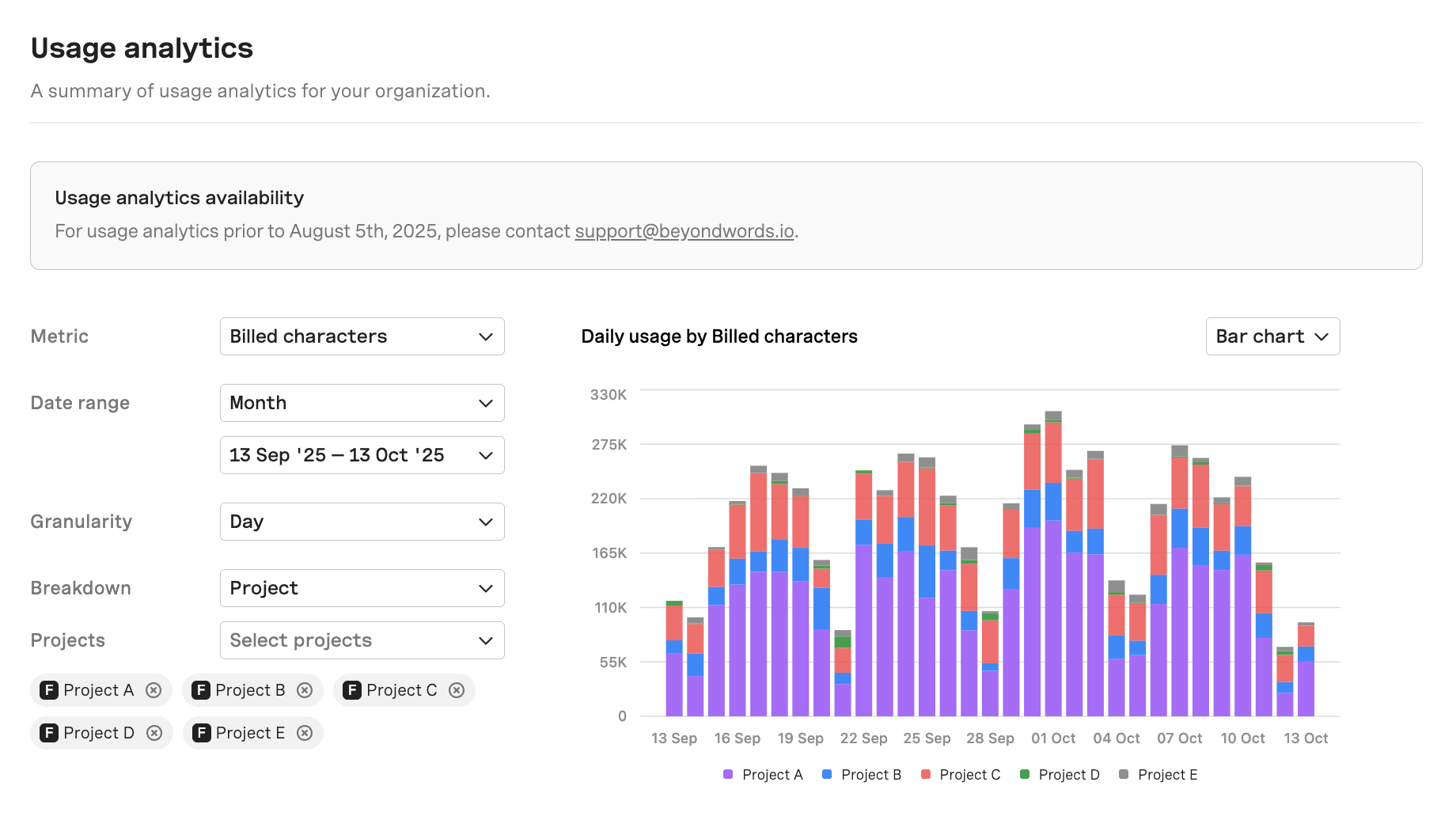
Usage analytics gives you a complete view of how your organization is using BeyondWords. You can track the total number of credits, articles, and characters processed, filter by date range, and adjust the level of detail (daily, weekly, monthly). You can also break usage down by project to understand where most activity is happening.
 ### Metric
### Credits
The number of credits that have been used. (Audio uses 1 credit per character, while video uses 50 credits per second).
The following metrics — Unique articles, Billed articles, and Billed characters — only apply to organizations on legacy plans. If your organization uses [credits](/docs-and-guides/administration/credits), the **Credits** metric above is the relevant measure of your usage.
#### Unique articles
The number of articles that have been processed and generated.
#### Billed articles
Articles counted for billing, where every **5,000 characters = 1 billed article**.
#### Billed characters
The characters that count towards your billing and quota.
#### Total characters
All characters processed, including those not billed (e.g. regenerated or edited content).
### Date range
Choose the time period you want to analyze. You can select the current **billing period**, **month**, **year**, or define a **custom date** range.
### Granularity
Set the level of detail for your analytics. Choose whether to view usage by **hour**, **day**, **week**, **month**, or **year**. You can also select **cumulative** to see totals over the entire date range.
### Breakdown
#### Voice
See which of your voices are being used for audio generation. Select a voice to view how many characters have been generated using it.
This option is only available when the selected metric is **Credits**, **Billed characters**, or **Total characters**.
#### Project
Break down your usage by project. You can select up to five projects at a time for comparison.
#### Content
Once a project is selected, you can further break down usage by individual articles. Filter results by entering either a **content ID** or **source ID**.
This option is only available when at least one **project** is selected.
### Metric
### Credits
The number of credits that have been used. (Audio uses 1 credit per character, while video uses 50 credits per second).
The following metrics — Unique articles, Billed articles, and Billed characters — only apply to organizations on legacy plans. If your organization uses [credits](/docs-and-guides/administration/credits), the **Credits** metric above is the relevant measure of your usage.
#### Unique articles
The number of articles that have been processed and generated.
#### Billed articles
Articles counted for billing, where every **5,000 characters = 1 billed article**.
#### Billed characters
The characters that count towards your billing and quota.
#### Total characters
All characters processed, including those not billed (e.g. regenerated or edited content).
### Date range
Choose the time period you want to analyze. You can select the current **billing period**, **month**, **year**, or define a **custom date** range.
### Granularity
Set the level of detail for your analytics. Choose whether to view usage by **hour**, **day**, **week**, **month**, or **year**. You can also select **cumulative** to see totals over the entire date range.
### Breakdown
#### Voice
See which of your voices are being used for audio generation. Select a voice to view how many characters have been generated using it.
This option is only available when the selected metric is **Credits**, **Billed characters**, or **Total characters**.
#### Project
Break down your usage by project. You can select up to five projects at a time for comparison.
#### Content
Once a project is selected, you can further break down usage by individual articles. Filter results by entering either a **content ID** or **source ID**.
This option is only available when at least one **project** is selected.