> ## Documentation Index
> Fetch the complete documentation index at: https://docs.beyondwords.io/llms.txt
> Use this file to discover all available pages before exploring further.
# Webhooks
> Configure and manage webhooks
## Overview
Webhooks let you receive HTTP requests when an article's audio is created, updated, or deleted. Use them to automate workflows and keep your systems in sync with your BeyondWords content.
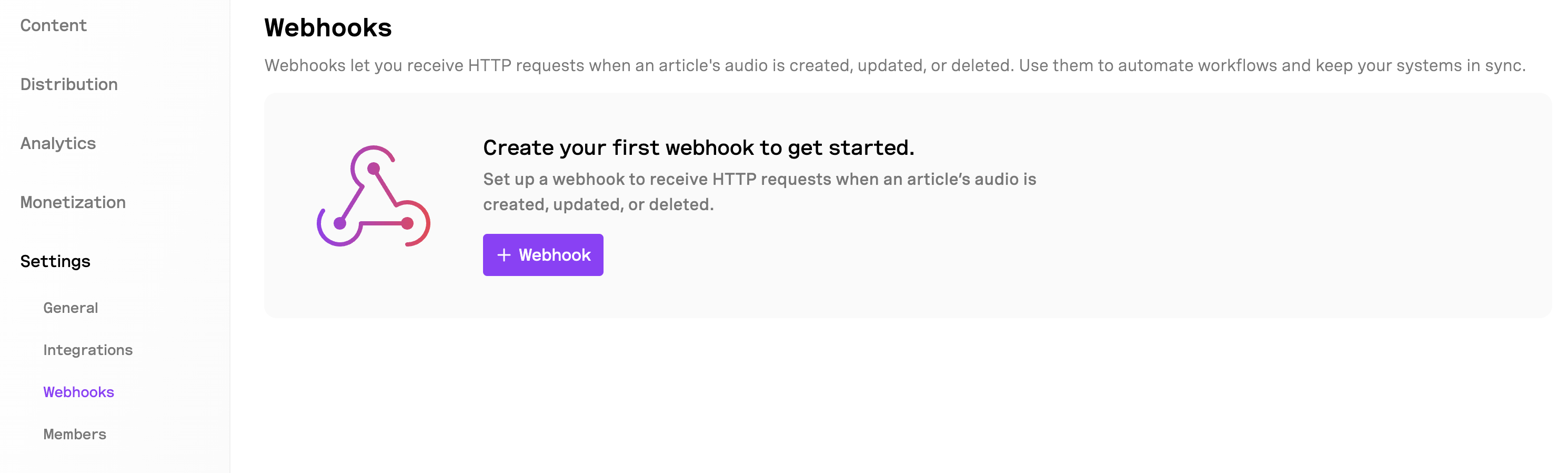 ## Setting up a webhook
To get started go to **Project > Settings > Integrations > Webhooks**.
Click the **+ Webhook** button to create your first webhook.
In the "Webhook URL" field, enter the URL where BeyondWords should send event notifications. This should be an endpoint on your server that's configured to receive and process webhook events.
If your webhook requires authentication or custom headers:
* Enter a **Header name** (e.g., "Authorization")
* Enter a **Header value** (e.g., "Bearer your-token-here")
* Click the **+** button to add additional headers if needed
Toggle the **Enabled** switch to activate the webhook. You can disable it at any time without deleting the configuration.
Click the **Save changes** button to complete the setup.
## Webhook events
Once configured, your webhook will receive notifications for the following events:
* **Audio updated**: Triggered when newly generated audio or updated audio has finished processing.
* **Audio deleted**: When audio is removed from the system
* **Audio error**: If an error has occured during audio generation
## Webhook payloads
Each webhook notification includes a JSON payload with details about the event and the affected content. You can use this information to trigger appropriate actions in your systems.
### audio.updated
```javascript audio.updated payload expandable theme={null}
{
"id": ,
"title": "",
"project_id": "<project_id>",
"external_id": "<source_id>",
"state": "processed",
"metadata": {},
"media": [
{
"id": "<media_id>",
"content_type": "mp3",
"url": "<audio_url>",
"duration": 281
},
{
"id": "<media_id>",
"content_type": "m3u8",
"url": "<audio_url>",
"duration": 281
}
],
"image_url": null,
"deleted": false,
"access_key": null,
"processing_at": "2025-07-02T13:19:39.054Z",
"published": true,
"published_at": "2025-07-02T13:19:38.699Z",
"content_id": "<content_id>",
"source_id": "<source_id>",
"is_copy": false,
"action_type": "audio.updated"
}
```
### audio.deleted
```javascript audio.delete payload expandable theme={null}
{
"id": <id>,
"title": null,
"project_id": "<project_id>",
"external_id": "<source_id>",
"state": "processed",
"metadata": {},
"media": [],
"image_url": null,
"deleted": true,
"access_key": null,
"processing_at": "2025-07-02T13:19:39.054Z",
"published": true,
"published_at": "2025-07-02T13:19:38.699Z",
"content_id": "<content_id>",
"source_id": "<source_id>",
"is_copy": false,
"action_type": "audio.deleted"
}
```
### audio.error
```javascript audio.error payload expandable theme={null}
{
"id": <id>,
"title": "<title>",
"project_id": "<project_id>",
"external_id": "<source_id>",
"state": "processed",
"metadata": {},
"media": [
{
"id": "<media_id>",
"content_type": "mp3",
"url": "<audio_url>",
"duration": 281
},
{
"id": "<media_id>",
"content_type": "m3u8",
"url": "<audio_url>",
"duration": 281
}
],
"image_url": null,
"deleted": false,
"access_key": null,
"processing_at": "2025-07-02T13:19:39.054Z",
"published": false,
"published_at": "2025-07-02T13:19:38.699Z",
"content_id": "<content_id>",
"source_id": "<source_id>",
"is_copy": false,
"action_type": "audio.error"
}
```
## Managing webhooks
You can create multiple webhooks to integrate with different systems. For each webhook, you can:
* Edit the configuration
* Temporarily disable it
* Delete it when no longer needed
## Security considerations
For enhanced security:
* Use HTTPS URLs for your webhook endpoints
* Implement authentication using request headers
* Validate incoming webhook requests on your server
## Setting up a webhook
To get started go to **Project > Settings > Integrations > Webhooks**.
Click the **+ Webhook** button to create your first webhook.
In the "Webhook URL" field, enter the URL where BeyondWords should send event notifications. This should be an endpoint on your server that's configured to receive and process webhook events.
If your webhook requires authentication or custom headers:
* Enter a **Header name** (e.g., "Authorization")
* Enter a **Header value** (e.g., "Bearer your-token-here")
* Click the **+** button to add additional headers if needed
Toggle the **Enabled** switch to activate the webhook. You can disable it at any time without deleting the configuration.
Click the **Save changes** button to complete the setup.
## Webhook events
Once configured, your webhook will receive notifications for the following events:
* **Audio updated**: Triggered when newly generated audio or updated audio has finished processing.
* **Audio deleted**: When audio is removed from the system
* **Audio error**: If an error has occured during audio generation
## Webhook payloads
Each webhook notification includes a JSON payload with details about the event and the affected content. You can use this information to trigger appropriate actions in your systems.
### audio.updated
```javascript audio.updated payload expandable theme={null}
{
"id": ,
"title": "",
"project_id": "<project_id>",
"external_id": "<source_id>",
"state": "processed",
"metadata": {},
"media": [
{
"id": "<media_id>",
"content_type": "mp3",
"url": "<audio_url>",
"duration": 281
},
{
"id": "<media_id>",
"content_type": "m3u8",
"url": "<audio_url>",
"duration": 281
}
],
"image_url": null,
"deleted": false,
"access_key": null,
"processing_at": "2025-07-02T13:19:39.054Z",
"published": true,
"published_at": "2025-07-02T13:19:38.699Z",
"content_id": "<content_id>",
"source_id": "<source_id>",
"is_copy": false,
"action_type": "audio.updated"
}
```
### audio.deleted
```javascript audio.delete payload expandable theme={null}
{
"id": <id>,
"title": null,
"project_id": "<project_id>",
"external_id": "<source_id>",
"state": "processed",
"metadata": {},
"media": [],
"image_url": null,
"deleted": true,
"access_key": null,
"processing_at": "2025-07-02T13:19:39.054Z",
"published": true,
"published_at": "2025-07-02T13:19:38.699Z",
"content_id": "<content_id>",
"source_id": "<source_id>",
"is_copy": false,
"action_type": "audio.deleted"
}
```
### audio.error
```javascript audio.error payload expandable theme={null}
{
"id": <id>,
"title": "<title>",
"project_id": "<project_id>",
"external_id": "<source_id>",
"state": "processed",
"metadata": {},
"media": [
{
"id": "<media_id>",
"content_type": "mp3",
"url": "<audio_url>",
"duration": 281
},
{
"id": "<media_id>",
"content_type": "m3u8",
"url": "<audio_url>",
"duration": 281
}
],
"image_url": null,
"deleted": false,
"access_key": null,
"processing_at": "2025-07-02T13:19:39.054Z",
"published": false,
"published_at": "2025-07-02T13:19:38.699Z",
"content_id": "<content_id>",
"source_id": "<source_id>",
"is_copy": false,
"action_type": "audio.error"
}
```
## Managing webhooks
You can create multiple webhooks to integrate with different systems. For each webhook, you can:
* Edit the configuration
* Temporarily disable it
* Delete it when no longer needed
## Security considerations
For enhanced security:
* Use HTTPS URLs for your webhook endpoints
* Implement authentication using request headers
* Validate incoming webhook requests on your server